Introduction
AI is no longer limited to chatbots or enterprise tools; it’s now entering the world of web browsing. In the USA, users are constantly seeking faster, smarter, and safer browsers. While Google Chrome dominates and Microsoft Edge integrates Copilot, a new AI-first browser called Comet AI is making waves.
But what makes Comet AI different? Instead of just adding an extension, it reimagines the browser itself with built-in AI memory, research tools, and a privacy-first design.
In this guide, we’ll explore:
- What is the Comet AI browser and how it works
- Unique Comet AI features (memory, privacy, research assistance)
- Comet AI vs Chrome, Edge, and Google AI tools
- Comet AI use cases for students and professionals in the USA
- Pricing, setup, and alternatives
- FAQs and expert insights
Whether you’re an AI enthusiast, student, or tech professional, this detailed breakdown will help you decide if Comet AI is the right browser for you.
What is Comet AI Browser?
The Comet AI browser is an AI-driven web browser designed to integrate AI into every part of your online journey. Unlike Chrome or Edge, which require extensions for AI tools, Comet AI comes with:
- Memory & context tracking (remembers your past searches, notes, and preferences)
- Background assistant (helps in real time without interrupting your flow)
- Privacy-first browsing (clear policies, transparent data use)
- Faster AI-integrated search results
In short, Comet AI is not just a browser; it’s an AI companion built for speed, research, and productivity.
How Does Comet AI Work?
Comet AI leverages context-based AI memory to remember your previous searches and tasks. This means:
- If you research a project today, Comet AI recalls it tomorrow.
- It connects your browsing, notes, and AI chats seamlessly.
- Comet AI’s assistant runs in the background, offering suggestions without disrupting your workflow
Just like AI is reshaping browsing through Comet AI, tools such as the Sora 2 AI Video Tool in the USA are changing how creators produce professional-quality videos instantly.
Example (Step-by-Step Working):
While working on a research paper, Comet AI automatically collects references, summarises articles, and suggests sources all in real-time.
- User Query → You search or type a question.
- AI Assistant Engages → Comet AI uses its contextual AI memory to recall your previous interactions.
- Background Analysis → While you keep browsing, the AI assistant collects additional references.
- Result Display → Instead of just links, you get summaries, comparisons, and deeper insights.
Use Case of Comet AI (USA Student):
- You search: “Climate change research paper outline.”
- Comet AI provides:
- Summarised scientific studies
- Recommended structure
- Citations with references
- Tomorrow, when you log back in, it remembers your progress and suggests additional sources.
Features List of Comet AI (2025 USA Version)
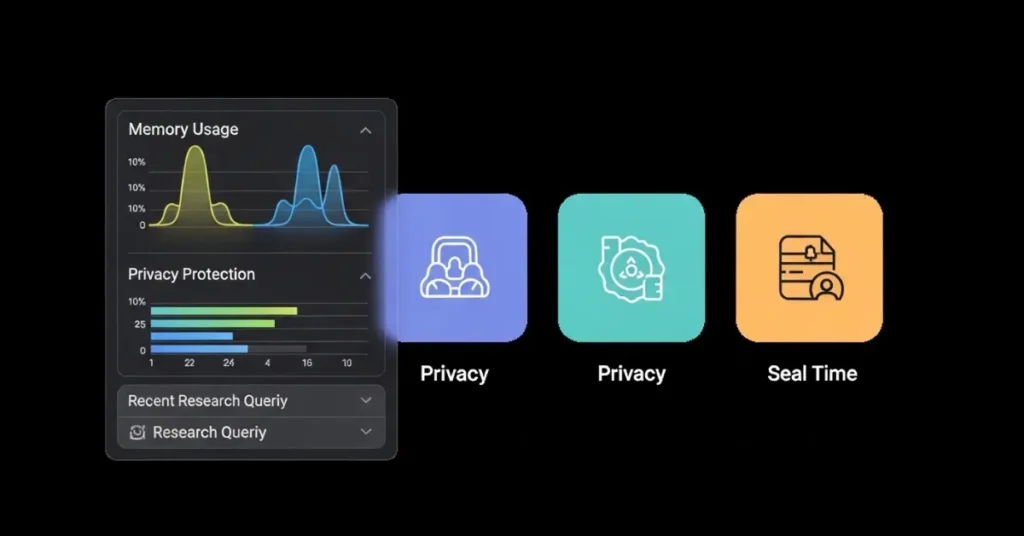
Here are the top features attracting attention in the USA tech space:
| Feature | Description | Benefit for USA Users |
|---|---|---|
| Memory & Context | Remembers past chats & searches | Saves research time for students & professionals |
| AI Background Assistant | Runs silently, offering suggestions | Increases productivity |
| Privacy Protection | Transparent policy, no hidden tracking | Safe alternative to Chrome/Edge |
| Speed Test Optimization | Faster AI-driven results | Smooth browsing on Mac/Windows |
| Integration Tools | Gmail, Calendar, Docs compatibility | Boosts workflow efficiency |
| Experimental Tracking | AI tracks experiments & projects | Speed Test Optimisation |
Comet AI Privacy Policy Explained
Unlike Chrome, which collects massive user data, Comet AI emphasizes user-first privacy.
- No hidden trackers
- Data transparency in policies
- Secure browsing for USA users worried about data leaks
This makes Comet AI particularly appealing to privacy-conscious professionals and students.
For Students
- Research faster with AI summarization
- Organise notes using memory features
- Compare sources directly in the browser
For Tech Professionals
- Faster project research with integrated AI
- Enhanced security for sensitive data
- Gmail & Calendar sync for productivity
For General Readers
- Simplified browsing
- Secure AI-powered searches
- Alternatives to Google AI search tools
Is Comet AI Browser Secure?
Yes. Comet AI security features make it a better choice than traditional browsers for USA users:
- End-to-end encryption of AI chats
- No cross-site tracking cookies
- Two-factor authentication (2FA) for login
Comet AI vs Chrome vs Edge vs Google AI
| Browser | AI Features | Privacy | Speed | Best For |
|---|---|---|---|---|
| Comet AI | Built-in memory, background assistant | Strong | High | Students, researchers, AI users |
| Chrome | Extensions required | Weak | High | General users |
| Edge | Copilot integration | Medium | Medium | Microsoft ecosystem |
| Google AI Tools | Powerful AI search | Weak privacy | Fast | AI-first search users |
Verdict: For users in the USA who need AI + privacy, Comet AI wins.
Comet AI Setup Guide (Windows & Mac USA Edition)
- Visit the official Comet AI website
- Click on Comet AI download (Mac/Windows option)
- Complete installation setup
- Log in with your Comet AI account
- Start using AI-powered features instantly
Pro Tip: USA users on Mac M1/M2 chips report smoother performance.
Comet AI Pricing Plans (USA 2025)
- Free Plan → Limited AI features, good for casual use
- Pro Plan (Subscription USA) → Full features, memory, privacy, integrations
Comet AI Free vs Pro Comparison
| Plan | Price (USA) | Features |
|---|---|---|
| Free | $0 | Limited AI, basic browsing |
| Pro | $10–15/month | Full AI features, integrations, security |
Top Alternatives to Comet AI Browser
If Comet AI doesn’t fit your needs, here are USA-friendly options:
- Perplexity Browser → Strong Q&A features
- Microsoft Edge with Copilot → Deep MS Office integration
- Arc Browser → AI-driven design for creatives
- Brave AI → Privacy-first like DuckDuckGo
Still, Comet AI stands out with its memory context + research-first approach.
If you’re building a productivity-first workflow, don’t just rely on AI browsers. Tools like the Logitech MX Master 4 mouse can significantly boost efficiency when paired with AI agents.
Common Issues & Fixes
- Performance Issues → Clear cache, update browser
- Login Problems → Reset via Comet AI support page
- Integration Errors → Re-link Gmail/Calendar
Why Comet AI Matters in the USA Market
- Students in US universities → Need AI for research but fear plagiarism → Comet AI bridges the gap.
- Professionals in finance/health → Require privacy → Comet AI provides compliance.
- General Readers → Want AI answers without Google tracking → Comet AI fits perfectly.
The Future of Comet AI in the USA
Experts predict:
- By 2026, Comet AI could become a top-5 browser in the USA.
- Likely partnerships with universities and enterprises.
- Strong potential as a Google alternative for research
Conclusion
Comet AI is not just another browser; it’s a paradigm shift in browsing for USA users. With its memory features, background AI assistant, privacy-first approach, and integration tools, it clearly sets itself apart from Chrome, Edge, and Google AI tools.
If you’re looking for a secure, smart, and future-ready browser, Comet AI deserves your attention in 2025. Whether you’re a student, researcher, or professional, Comet AI can transform the way you browse.
Comet AI might just be the future of browsing.
Comet AI Browser FAQs
Q1: What is the Comet AI browser, and how does it work?
Answer: Comet AI is an AI-first browser with built-in memory, privacy tools, and a background assistant. Unlike Chrome or Edge, it works by remembering your searches, summarising research, and providing secure browsing tailored for USA and Canada users.
Q2: Is the Comet AI browser free to use?
Answer: Yes, Comet AI offers a free plan with limited AI features. For full access, USA and Canada users can upgrade to the Pro plan, which costs around $10–15/month and includes memory, privacy, and integrations.
Q3: How does Comet AI compare to Chrome and Edge?
Answer: Comet AI comes with built-in AI memory and privacy tools, while Chrome relies on extensions and Edge integrates Microsoft Copilot. For USA users who value research assistance and privacy, Comet AI is often considered the smarter option.
Q4: Is the Comet AI browser secure for USA users?
Answer: Yes. Comet AI offers encryption, transparent data policies, and no hidden trackers. This makes it safer than Chrome or Google AI tools, especially for professionals and students in the USA who want private AI-powered browsing.
Q5: What are the main features of the Comet AI browser?
Answer: Key features include AI memory, a background assistant, privacy protection, Gmail/Calendar integrations, and experiment tracking. These features help USA users save time on research, stay secure, and boost productivity.
Q6: Can students in the USA use Comet AI for research?
Answer: Absolutely. Students benefit from AI summarization, citation suggestions, and note organization. Comet AI remembers progress across sessions, making it a valuable study companion for US universities.
Q7: How fast is Comet AI compared to other browsers?
Answer: Comet AI has optimized AI-driven search, making it faster for research-heavy tasks. Early USA users report smoother performance on both Windows and Mac, especially on Apple M1/M2 devices.
Q8: Does Comet AI work on Windows and Mac?
Answer: Yes, Comet AI offers downloads for both Windows and Mac. Installation takes only a few minutes, and US users on Mac M1/M2 chips often report better performance than Chrome or Edge.
Q9: How much does Comet AI cost in the USA?
Answer: Comet AI’s free plan is $0, while the Pro plan costs around $10–15/month in the USA. The Pro version includes advanced AI memory, full privacy tools, and productivity integrations.
Q10: What are the best alternatives to the Comet AI browser?
Answer: Popular alternatives in the USA include Perplexity Browser, Microsoft Edge with Copilot, Brave AI, and Arc Browser. However, Comet AI stands out for combining AI research memory with strong privacy.
Q11: Can Comet AI integrate with Gmail and Calendar?
Answer: Yes. Comet AI allows seamless Gmail and Calendar sync, which helps US professionals organize meetings, tasks, and workflows directly within the browser.
Q12: What common issues do Comet AI users face?
Answer: The most reported issues include login problems, performance slowdowns, and integration errors. US users can usually fix them by updating, clearing the cache, or contacting Comet AI support.
Q13: Why is Comet AI gaining popularity in the USA?
Answer: Comet AI is trending in the USA because it offers AI-powered research, strong privacy, and productivity tools in one browser. With rising concerns over data tracking, more students and professionals are switching in 2025.
If you’re interested in AI that goes beyond browsing, don’t miss our review of the Claude AI Agent Chrome Extension 2025, designed for smarter workflows in the USA.